
AI personal assistant, personal AI assistant, AI agents for everyday tasks, AI automation, agentic AI, AI agent privacy, AI task automation, autonomous AI agents
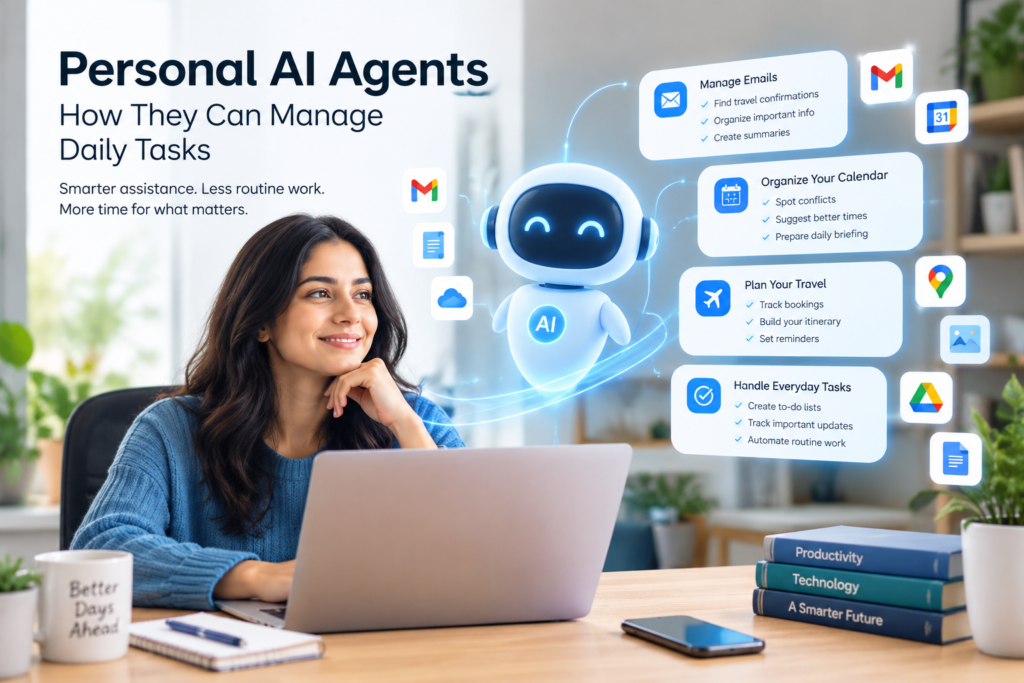
Imagine having an AI assistant that does more than answer questions. Instead of waiting for you to type a prompt, it could monitor information, organise tasks, prepare updates, connect information from different apps, and carry out approved actions on your behalf.
That is the idea behind personal AI agents.
Unlike traditional chatbots, which generally respond to individual requests, AI agents are designed to work toward a goal by reasoning through multiple steps and using connected tools. Google, for example, has introduced agentic capabilities that can monitor information in the background and provide updates, while its Gemini ecosystem is expanding personalised AI features that can work across connected information sources.
The technology is still developing, but the direction is clear: AI is moving from simply generating answers toward helping people complete tasks.
What Are Personal AI Agents and How Do They Manage Daily Tasks?
A personal AI agent is an AI system designed to help an individual complete tasks or achieve goals by using information, reasoning, and connected tools.
A traditional AI assistant might answer:
“What appointments do I have this week?”
A more agentic personal AI assistant could potentially review your calendar, identify conflicts, summarise upcoming commitments, and prepare suggestions for reorganising your schedule.
The important difference is action and workflow.
Instead of treating every request as a separate conversation, an AI agent can be designed to handle a sequence such as:
Goal → Gather information → Reason → Plan → Take an approved action → Report the result
Google describes AI agents as systems that can understand a goal, develop a multi-step plan, and take actions under human guidance and oversight.
Personal AI Assistant vs Traditional Chatbot: How AI Agents Manage Daily Tasks
A chatbot primarily responds to a prompt.
A personal AI assistant can provide more contextual help.
A personal AI agent goes a step further by potentially handling multi-step workflows using connected tools.
For example:
| AI capability | Typical behaviour |
|---|---|
| Chatbot | Answers a question |
| AI assistant | Helps complete a request |
| Personal AI agent | Works through a multi-step task toward a goal |
The boundaries are not always strict. Many modern AI products combine chatbot, assistant, and agent capabilities.
How Can AI Agents Manage Daily Tasks and Everyday Activities?
The most useful applications of AI agents for everyday tasks are generally repetitive, information-heavy, or coordination-based activities.
The goal is not to automate everything. It is to reduce the amount of routine digital work a person has to perform manually.
How Can AI Agents Manage Emails and Daily Information?
One potential use is organising information arriving through email.
For example, an agent could identify travel confirmations, extract relevant details, and organise them into a personal itinerary.
Google’s Gemini Spark announcement describes examples involving email confirmations, travel information, calendars, and documents.
The benefit is not simply summarisation. The agent can potentially connect information from several places and turn scattered information into something more useful.
How Can AI Agents Manage Calendars and Daily Schedules?
A personal AI agent could also assist with scheduling.
Possible tasks include:
- identifying calendar conflicts;
- summarising upcoming commitments;
- organising information for an event;
- preparing a daily briefing;
- identifying gaps in a schedule;
- suggesting ways to organise competing tasks.
The key distinction is that the agent works with a broader context instead of treating each calendar question independently.
How Can AI Agents Manage Travel Planning and Itineraries?
Travel is another natural use case for AI task automation.
A personal AI assistant could potentially help organise:
- booking confirmations;
- travel dates;
- accommodation information;
- activities;
- calendar entries;
- reminders and itinerary information.
Google has demonstrated personal AI capabilities that can connect information from sources such as Gmail, Photos, YouTube, and Search to provide more personalised answers.
However, planning and acting are different levels of autonomy. An agent may be able to prepare an itinerary without necessarily being authorised to make purchases or change bookings.
How Can AI Agents Manage Household and Personal Tasks?
Personal AI agents may also be useful for managing recurring household logistics.
Google Labs’ CC experiment, for example, focuses on family coordination, including calendars, tasks, meal planning, and other household logistics.
This illustrates an important trend: the potential value of personal AI is not limited to professional productivity.
An agent can become useful anywhere people repeatedly collect information, make decisions, and coordinate activities.
What Makes Personal AI Agents Different From Traditional AI?
From Answers to Actions: How AI Agents Manage Daily Tasks
The biggest conceptual change is the move from answer generation to outcome-orientated assistance.
A conventional AI interaction might look like this:
You ask → AI answers → You act.
An agentic workflow can look more like:
You define a goal → AI gathers information → AI plans → AI performs permitted steps → AI reports back.
That does not mean the AI should have unlimited control.
In fact, human oversight becomes more important as an AI system gains access to more information and tools.
Google says its Gemini Spark system operates under user direction and is designed to ask before performing high-stakes actions such as spending money or sending emails.
What Are the Benefits of Using AI Agents to Manage Daily Tasks?
The strongest potential benefit is reducing repetitive digital work.
How AI Agents Save Time by Managing Daily Tasks
Instead of manually checking several sources, copying information, and organising it, an agent may be able to perform parts of the workflow automatically.
For example, a student might use an AI assistant to organise information from their own notes and calendar into a study schedule. A professional might use an agent to summarise recurring information and prepare a daily briefing.
The important point is that the AI should support the person’s work rather than encourage blind acceptance of its output.
How Personal AI Agents Reduce Daily Digital Overload
Modern digital life creates information from many different places: email, calendars, documents, messages, websites, photos, and applications.
Personal AI assistants can potentially provide a layer that brings relevant information together.
This is one reason personalised AI is becoming an important part of the broader agentic AI trend.
How AI Agents Automate Repetitive Daily Tasks
Tasks that follow predictable patterns can be particularly suitable for AI automation.
Examples include:
- collecting information;
- categorising documents;
- creating summaries;
- tracking updates;
- organising schedules;
- preparing reports;
- monitoring selected information sources.
The more important or irreversible the action, however, the stronger the case for human review.
What Are the Risks of Agentic AI?
Personal AI agents introduce a different set of concerns from ordinary chatbots because they may have access to more information and, in some cases, the ability to take actions.
AI Agent Privacy
Privacy is one of the most important considerations.
A personal AI assistant may become more useful when it can access relevant information, but that also means users need to understand what information the system can access, why it needs that access, and what it can do with it.
For example, an agent connected to email has access to a very different category of information from an agent that only receives manually entered prompts.
Users should therefore look for clear controls over connected applications, permissions, data access, and actions.
Permissions and Access
An AI agent should not automatically receive unrestricted access simply because access could make it more useful.
A sensible permission model separates low-risk activities from high-impact actions.
For example:
| Task | Appropriate level of oversight |
|---|---|
| Summarising information | Low |
| Organising a personal list | Low to moderate |
| Drafting a message | Moderate |
| Sending a message | Higher |
| Making a purchase | Higher |
| Changing an important account setting | Higher |
The exact controls depend on the product, but the principle is straightforward: greater potential impact should require stronger oversight.
Incorrect or Unwanted Actions
AI agents can make mistakes.
An ordinary chatbot mistake may produce an incorrect answer. An agent with tool access could potentially turn an incorrect interpretation into an unwanted action.
That is why current AI-agent security discussions increasingly emphasise identity, permissions, monitoring, and runtime controls. Gartner has highlighted risks associated with excessive autonomy, unauthorised access, unmanaged automation, and limited visibility into agent behaviour.
How Should You Use an AI Agent Safely?
Start With Low-Risk Tasks
The easiest way to understand an AI agent is to begin with tasks where mistakes are reversible.
Good starting categories include:
- summarising information;
- organising notes;
- preparing schedules;
- creating drafts;
- collecting publicly available information;
- creating personal checklists.
Avoid giving an agent unnecessary authority over sensitive or irreversible actions.
Review Before High-Impact Actions
A useful rule is:
Let AI prepare more than it executes.
For example, an agent can prepare a draft email while you decide whether to send it.
It can organise a proposed itinerary while you review the details.
It can identify scheduling conflicts while you make the final decision.
This approach allows people to gain the productivity benefits of AI automation without treating an AI system as an unquestioned decision-maker.
Check Permissions Regularly
AI-agent permissions should be treated like application permissions.
Review:
- connected applications;
- information the agent can access;
- actions it is allowed to perform;
- accounts it can interact with;
- recurring automations;
- notifications and monitoring rules.
Gartner’s current guidance for agentic systems emphasizes inventory, identity, permissions, information governance, and ongoing monitoring as important governance areas.
What Will AI Agents Do in the Future?
More Proactive Assistance
Personal AI agents are increasingly being designed to work in the background rather than waiting for every individual prompt.
Google’s 2026 Search announcements describe information agents that can operate in the background, monitor information related to a user’s task, and provide synthesized updates.
That creates a new model of interaction.
Instead of asking:
“What changed?”
You may eventually expect your personal AI assistant to tell you when something relevant changes.
More Connected Applications
The usefulness of personal AI agents will also depend on how well they can work across different applications and information sources.
A personal AI agent that understands your calendar but cannot access relevant travel information may be less useful than one that can responsibly connect the two.
But greater connectivity also increases the importance of privacy, security, identity, and permission controls.
More Human Oversight, Not Less
The future of personal AI is unlikely to be simply about giving AI unlimited autonomy.
The more capable agents become, the more important it becomes to define boundaries.
A useful personal AI agent should make it clear:
- what it knows;
- what it is trying to do;
- what permissions it has;
- what it has already done;
- what requires your approval;
- and where uncertainty remains.
The Practical Rule for AI Agent Adoption
For everyday users, a simple framework works well:
Automate the repetitive. Review the important. Approve the irreversible.
That principle keeps the human at the center while allowing AI automation to handle appropriate routine work.
Bottom Line
Personal AI agents represent a shift from AI that simply responds to AI that can help manage workflows.
They can potentially organize information, monitor selected updates, coordinate schedules, prepare documents, and handle other repetitive digital tasks. Current products and research show that this transition is already moving beyond experimentation into practical consumer and workplace applications.
But capability alone should not determine how much control an agent receives.
The most important questions are practical: What can the agent access? What can it do? What requires approval? How is its activity monitored? And what happens when it makes a mistake?
Personal AI agents can make everyday digital work easier, but responsible use depends on keeping those boundaries clear.